NLP Freight Document Processing: Stop Manual Entry

You know what kills warehouse efficiency faster than anything? Paper. Or more specifically, the 45 minutes your best ops coordinator spends every morning re-keying data from bills of lading into your TMS. I've watched it happen at three different facilities, and every single time, it ends the same way — fat-finger errors, delayed shipments, and someone on the phone with a carrier trying to figure out why a container got held at the port.
That's exactly why NLP freight document processing has become the first thing I recommend when a client asks me where to start with AI.
What NLP Actually Does to Your Freight Docs
NLP — natural language processing — isn't magic. It's software that reads unstructured text the way a human would, pulls out the data points you care about, and drops them where they need to go. Applied to freight, that means it can read a commercial invoice, a bill of lading, a packing list, or a customs declaration and extract shipment weight, commodity codes, consignee info, and freight terms — automatically.
We had a client in Doral running about 300 import shipments a month out of their distribution center. Their team was spending roughly 22 staff-hours per week just on document entry. We ran the math: at $24/hr burdened labor cost, that's over $27,000 a year in pure data entry. And that's before you count the mistakes.
NLP freight document processing brought that number down to about 4 hours a week. The rest is automated.
The Errors You're Not Tracking (But Should Be)
Right. So here's what happened at a freight forwarder I worked with out of Miami in late 2023. They had a manual keying error on an HTS code — one digit off — that triggered a customs hold on a container out of Kingston. The delay cost them $14,200 in storage, demurrage, and expediting fees. One digit.
NLP freight document processing doesn't get tired. It doesn't misread a 7 as a 1 at 4pm on a Friday. When you feed it a structured or semi-structured document, it extracts consistently. I'll admit I was wrong about how quickly it could handle messy, handwritten carrier docs — turns out modern NLP models handle those surprisingly well, especially when paired with OCR.
Here are the document types it handles best:
- **Bills of Lading** (ocean and airfreight)
- **Commercial invoices**
- **Packing lists**
- **Customs entry summaries**
- **Delivery receipts and PODs**
- **Rate confirmations and carrier contracts**
How This Plugs Into Your WMS
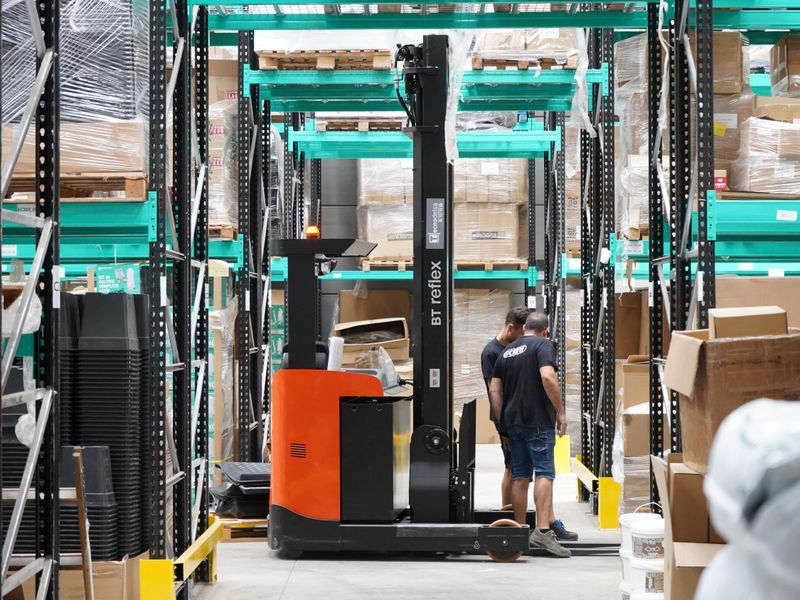
This is where it gets practical. NLP freight document processing doesn't work in isolation — it has to feed somewhere. The best implementations I've seen connect directly into the WMS at the receiving layer, so when a shipment arrives, the advance ship notice data is already validated against the physical document before anyone touches the freight.
SprintWMS has a document intake module that does exactly this. You configure the extraction fields, define your validation rules — say, flagging any weight variance greater than 2% — and the system routes exceptions to a human reviewer while auto-processing the clean records. I've seen it cut receiving audit time by about 60% at a mid-size 3PL running mixed retail and e-commerce inventory out of a 180,000 sq ft facility in Medley.
Setting It Up Without Losing Your Mind
Not gonna lie, the first 30 days of implementation are rough. The model needs to learn your document formats, and most freight ops have 12 different carrier templates that all look slightly different. You'll need someone to tag training documents — plan for 200-400 labeled examples per document type.
But after that break-in period? It runs. (I've seen operations teams go from skeptics to evangelists inside of 90 days. Every time.)
Here's the sequence that works:
1. Audit your top 5 most-used document types by volume 2. Pull 300 historical examples of each, sanitized for PII 3. Run them through your NLP platform to baseline extraction accuracy 4. Set your confidence thresholds — anything below 92% goes to human review 5. Connect the extraction output to your WMS intake queue 6. Run parallel with manual entry for 3 weeks, compare error rates 7. Cut over fully once accuracy is consistently above your baseline
SprintWMS lets you do steps 4 through 6 entirely within the platform. That's rare — most WMS vendors make you bolt on a separate AI layer, which creates its own integration headaches.

The ROI Is Not Subtle
Last month we ran the numbers on a full-year deployment for a Miami-based 3PL doing roughly $8M in annual revenue. NLP freight document processing had delivered:
- **$31,000** in recovered labor hours
- **$18,500** in avoided freight claims tied to data entry errors
- **A 73% reduction** in customs query response time
That's close to $50,000 in year-one value. On a tool that costs a fraction of that to deploy.
Here's the thing — the real win isn't the money. It's that your best people stop doing repetitive data entry and start doing actual logistics work. Route optimization. Vendor relationships. Exception management. The stuff that actually requires a brain.
I've never seen a properly implemented NLP freight document processing deployment fail to deliver positive ROI within 12 months. That's not a soft opinion. That's what the numbers show, repeatedly.
If you're still running manual document entry at scale, you're paying for errors you can't see and speed you'll never get from hiring more people.

Ready to Stop Rekeying?
If you want to see how NLP freight document processing fits into your specific operation, reach out for a demo with SprintWMS. We'll walk your actual document types through a live extraction test so you can see accuracy before you commit to anything.